How to allow Touch ID to authenticate for Sudo commands on Mac

I am a highly motivated and experienced engineer with a passion for helping teams deliver software faster, more reliably, and more securely. I am proficient in a wide range of DevOps technologies along with Software Development and have a proven track record of success in leading and mentoring teams. I am also a strong communicator and educator, and I enjoy sharing my knowledge with others.
To enable TouchID on your Mac to authenticate you for sudo access instead of a password you need to do the following steps.
- Open Sudo configuration file with the following command
sudo vi /etc/pam.d/sudo
Initially file content should look like this
# sudo: auth account password session
auth       required       pam_opendirectory.so
account    required       pam_permit.so
password   required       pam_deny.so
session    required       pam_permit.so
- Paste
auth sufficient pam_tid.soon line 2 of the document (underneath the initial comment line)
After pasting contents should be like this
# sudo: auth account password session
auth       sufficient     pam_tid.so
auth       required       pam_opendirectory.so
account    required       pam_permit.so
password   required       pam_deny.so
session    required       pam_permit.so
Save the file (Since this file is read-only, you may be required to do force save, Eg
vimwill require you to usewq!when saving)Now try to use sudo command on terminal and you should be prompted to authenticate with Touch ID as shown below
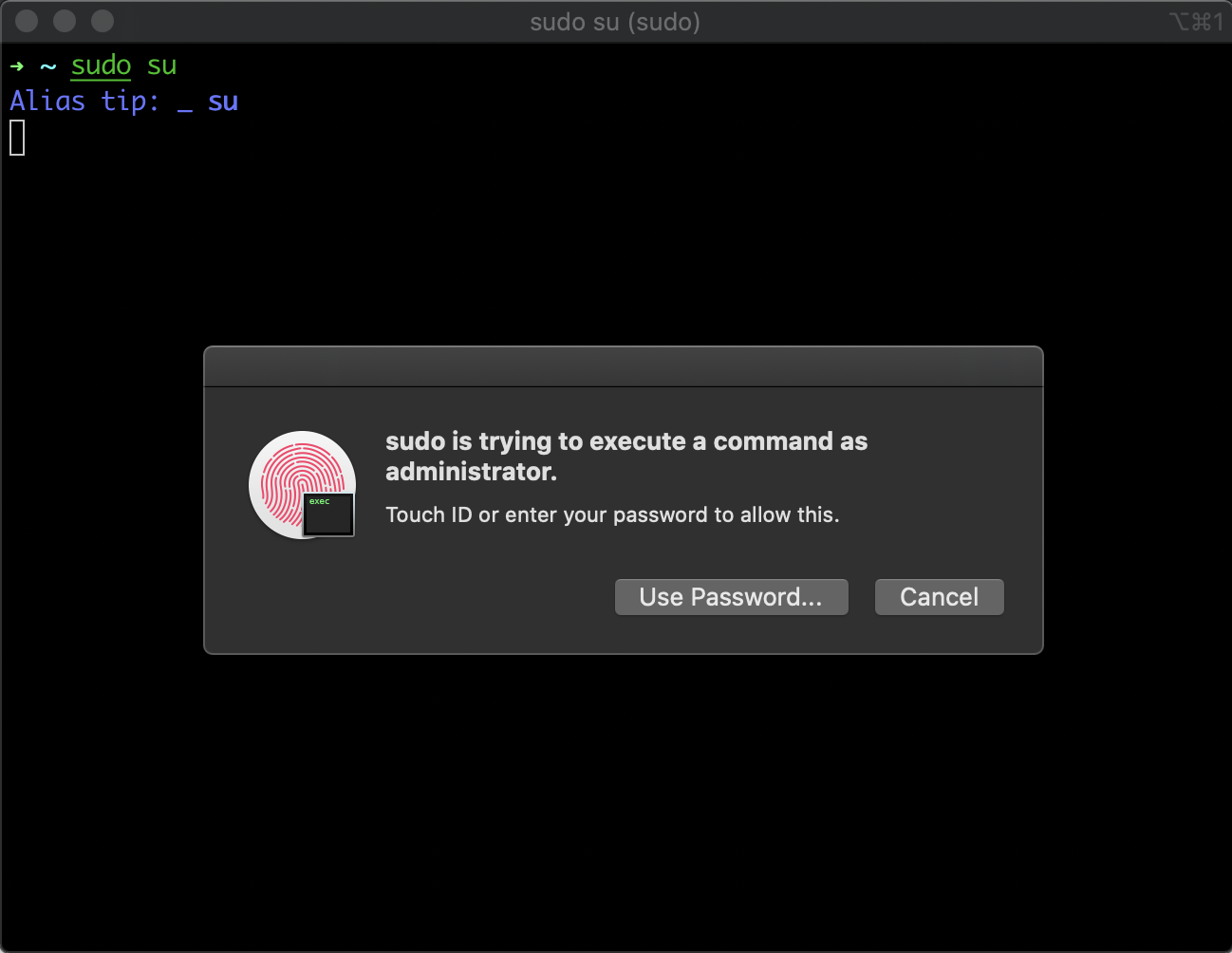
If you click 'Cancel' you can just enter your password at the terminal prompt if you click 'Use Password' you can enter your password in the dialog box.
If you SSH into your machine it will fall back to just use your password since you can't send your TouchID fingerprints over SSH
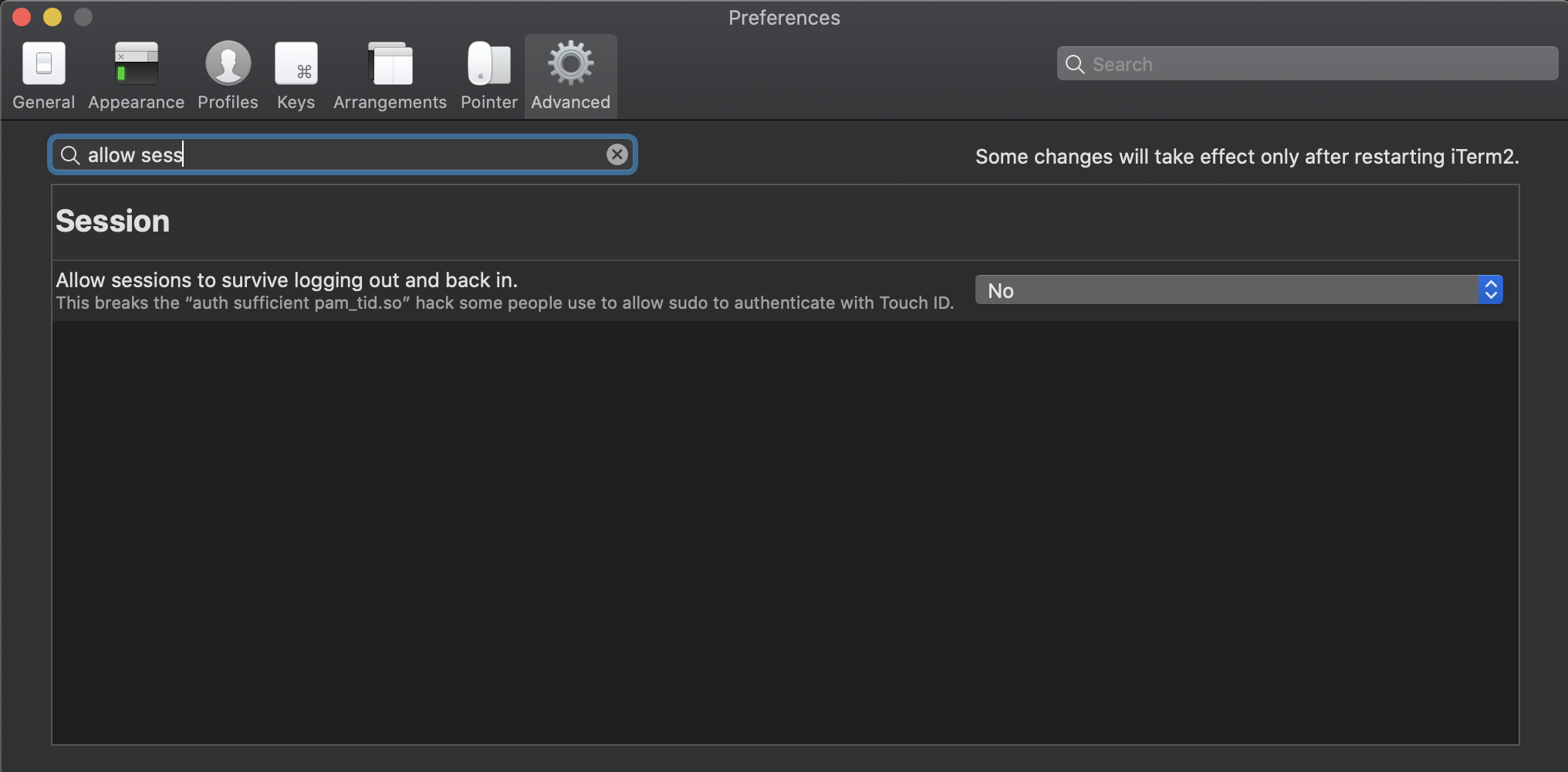
- If you're using iTerm2 (v3.2.8+) you may have seen Touch ID failing to work with sudo in the terminal despite having made the pam_tid.so modification as above, and it works in previous versions. This is down to an advanced feature that seems to be now enabled by default - this needs to be turned off here: iTerm2->Preferences > Advanced > (Goto the Session heading) > Allow sessions to survive logging out and back in.
Reference: https://apple.stackexchange.com/questions/259093/can-touch-id-for-the-mac-touch-bar-authenticate-sudo-users-and-admin-privileges