Create Extensions for VS Code- Part 2

Introduction
This is the second part of the Create Extension for VS Code series. You can also read the first part in My Dev Blog , or in dev.to :
In the first part, we learned how to create a simple Hello World Extension and the basic understanding file structure of extension.
In Part 2, We will go a little deeper and learn the most common extension feature such as
- Creating Menus
- Creating Settings (Configurations)
- Defining Keyboard Shortcuts (KeyBinding)
Come on Let's dive into it.

Creating Menus
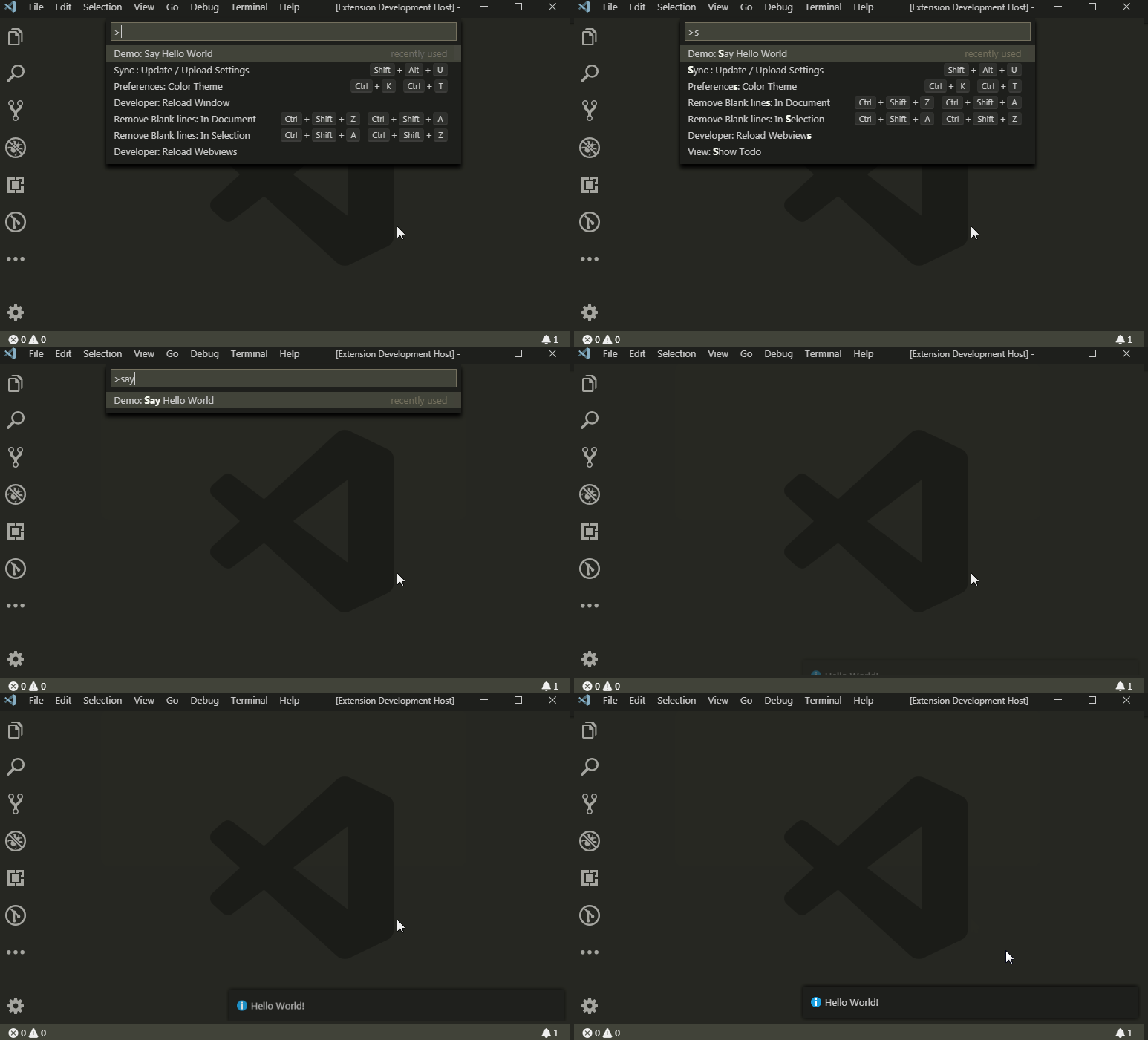
Creating menus for the extension is pretty simple. The menu consists of three properties such as
command- The command (action) which gets executed on the clicktitle- Display name for the menucategory- Just groupings for the menus.
Define menus in package.json -> contributes -> commands
Snippet
"commands": [
    {
        "command": "extension.helloWorld",
        "title": "Say Hello World",
        "category": "Demo"
    }
]
Demo
Creating Settings (Configurations)
The setting has the following properties.
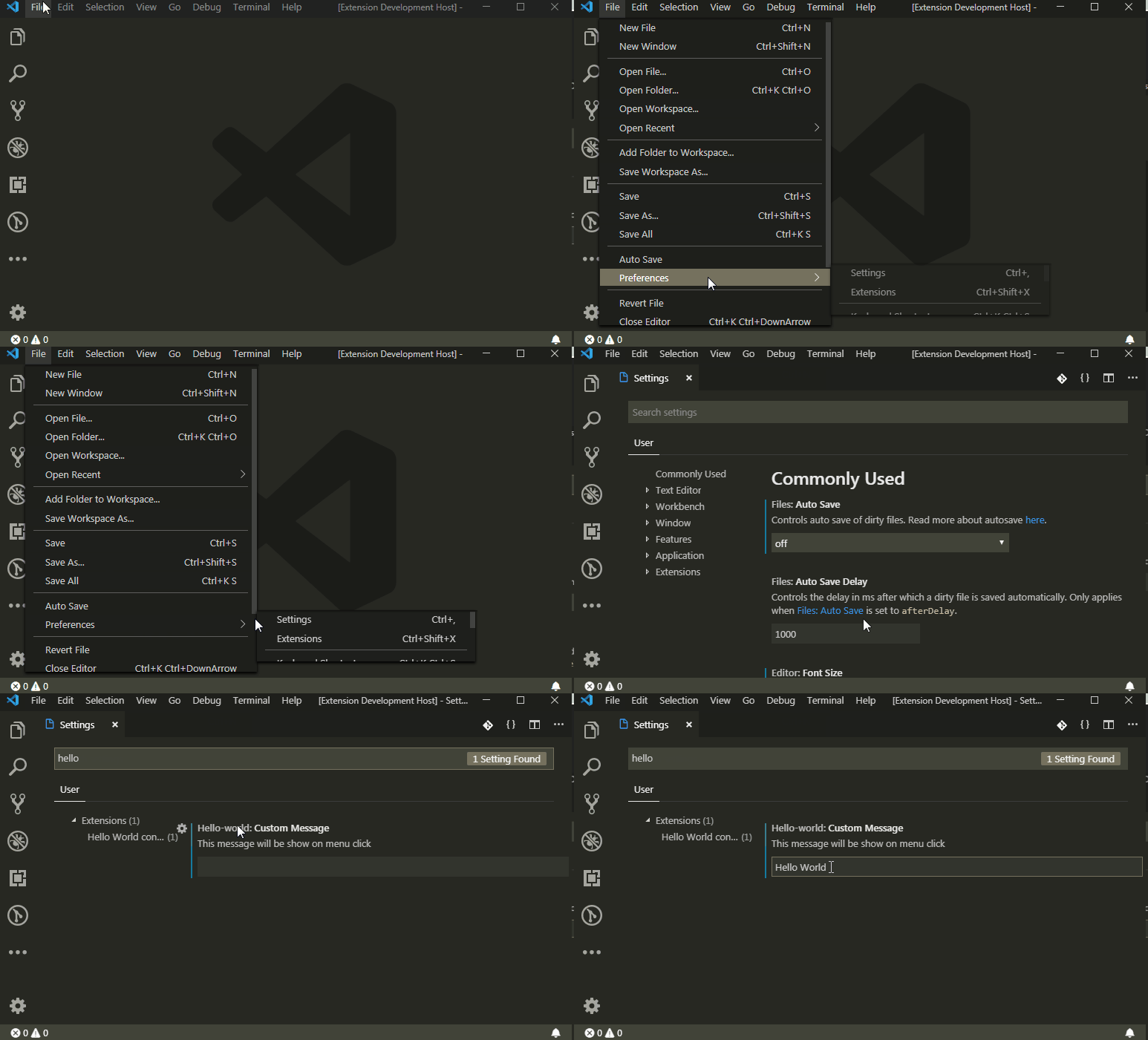
properties -> Key- An unique key which will be used to set/get values.type- Data Type for the setting.default- It will be set as the default value on the plugin activation.description- This note will be shown under the setting.
Define settings in package.json -> contributes -> configuration
Snippet
"configuration": {
    "title": "Hello World configuration",
    "properties": {
        "hello-world.customMessage": {
            "type": "string",
            "default": "Hello World",
            "description": "This message will be show on menu click"
        }
    }
}
Get current Value
We can get the current value of settings in Extension.ts with the help of vscode.workspace object and unique key (hello-world.customMessage) which is mentioned on package.json.
const msg = vscode.workspace.getConfiguration().get('hello-world.customMessage');
Demo
Defining Keyboard Shortcuts (KeyBinding)
We can trigger an action of our extension on specific keyboard shortcuts which is known as keybinding.
It has two properties they are,
- Command - Action needs to be triggered
- Key - Combination of keys
Define keybinding in package.json -> contributes -> keybindings
Snippet
helloWorld action will be executed on the keybinding of Ctrl+Shift+A + Ctrl+Shift+Z
"keybindings": [
    {
        "command": "extension.helloWorld",
        "key": "Ctrl+Shift+A Ctrl+Shift+Z"
    },
]
Demo

We have learned the most common extension features !!! 🎉🎉🎉🎉🎉

In the next part, We will see how to build and publish our extension on Visual Studio Marketplace
Thanks for reading!
Please provide your Feedbacks and comments.

About the author
I am a highly motivated and experienced engineer with a passion for helping teams deliver software faster, more reliably, and more securely. I am proficient in a wide range of DevOps technologies along with Software Development and have a proven track record of success in leading and mentoring teams. I am also a strong communicator and educator, and I enjoy sharing my knowledge with others.
Comments
Join the discussionNo comments yet. Be the first to comment.